
01Custom CRM Development
Custom CRM Software Development in New York
Custom CRM software development gives a New York business a customer workflow that follows its own sales and service process. SDO plans pipelines, portals and integrations around the records your teams need to share, serving Brooklyn, Queens and Manhattan. Start by identifying what the current CRM cannot handle and whether configuration or integration could solve the problem before a full build.
02When a Custom CRM Beats Salesforce or HubSpot
When a Custom CRM Beats Salesforce or HubSpot
Salesforce and HubSpot can be good choices when their standard capabilities and configuration options meet the requirement. A custom CRM becomes worth considering when essential workflows need repeated workarounds, specialist permissions or connections that are difficult to maintain. Compare the actual gap rather than treating a subscription product as inherently inferior.
Document one lead from arrival to qualification, proposal, approval and ongoing service. Include exceptions such as multiple contacts, shared accounts, renewals or work handled by different departments. If the existing product can represent that journey clearly at an acceptable total cost, rebuilding it may not be justified.
Evaluate build cost alongside licenses, migration, support and future changes. A custom CRM does not automatically become cheaper simply because it removes a per-seat subscription. It is an investment in operational fit and control that still needs maintenance, hosting and an accountable business owner.
03Custom CRM Development Software Solutions We Build
Custom CRM Development Software Solutions We Build
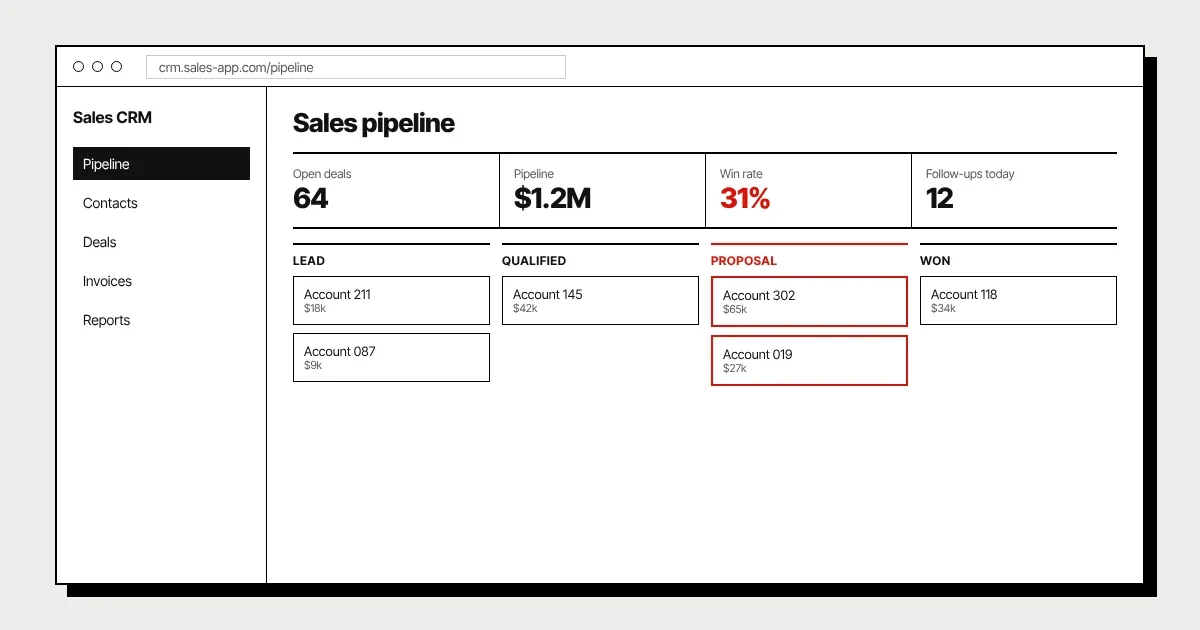
Choose features that support decisions and reduce duplicate work rather than reproducing every menu in a commercial CRM. Agree which records are authoritative, who may edit them and what counts as progress. A consistent process makes the data useful for both daily work and reporting.
- 01Pipelines and account historyDefine meaningful stages, required information and the next action at each stage. Keep contact and company relationships understandable, including multiple decision-makers. Record important changes so staff can understand why an opportunity moved instead of relying on a status label alone.
- 02Tasks, quotes and approvalsAssign follow-ups with clear responsibility and deadlines. Scope proposal or quote workflows around the actual approval rules, including revisions and exceptions. Automated reminders should support the team without becoming an uncontrolled stream of notifications.
- 03Client portals and service recordsGive customers a controlled view of requests, documents and status where it reduces avoidable enquiries. Internal notes and unrelated customer records must stay protected. Portal access should use the same business rules as the staff application, not a separate interpretation of them.
- 04Reporting and administrationAgree definitions for conversion, pipeline value and response time before building charts. Provide authorized staff with tools for correcting duplicates and normal exceptions. Permissions and audit history are part of operating the CRM, not optional features to add after the launch.
04Integrations
Integrations
Email and calendar connections need a decision about what is synchronized and who can see it. Shared inboxes, personal calendars and customer records have different access boundaries. Confirm provider permissions and consent before copying messages or events into a central customer timeline.
Billing integrations can connect approved quotes, invoices or payment status, subject to the accounting system's API and commercial terms. Define which system owns each amount and how a correction is reconciled. A connection to QuickBooks should follow agreed accounting workflows rather than write financial records without review.
Phone and marketing tools may provide activity events, campaign details or call records through supported APIs. Decide how to match these events to customers and handle duplicates, missing identifiers and delivery failures. Avoid storing unnecessary content simply because an integration makes it available.
05Data Migration from Your Current CRM
Data Migration from Your Current CRM
Migration starts with understanding the current records, not pressing an export button. Review contacts, companies, ownership, notes, attachments and activity history, then identify incomplete fields and duplicates. Export permissions and vendor restrictions can limit what is available, so check those before promising a complete transfer.
Map fields to the new model and agree how conflicting data will be handled. Some old custom fields may no longer have a useful meaning, while others are essential to the process. Keep decisions visible so the new CRM does not inherit unexplained structures and inconsistent data.
Rehearse with representative records, validate relationships and reconcile business totals or counts. Operational owners should approve the result and understand any exclusions. Plan the cutover window, final updates and rollback rather than allowing staff to edit both CRMs indefinitely.
06Industry CRMs
Industry CRMs
Specialist workflows can justify a CRM that differs from a standard sales pipeline. The examples below describe planning needs, not claims about clients or results. Each design still begins with the actual process and the information people are entitled to see.
- 01Real estateProperties, contacts and opportunities may be connected in ways a simple account list does not represent. Track the relationship between enquiries, viewings and follow-up without assuming every business uses the same transaction model. Scope document access and communication preferences alongside the pipeline.
- 02AgenciesAn agency may need to connect qualification, proposals and the handover into delivery. Separate commercial records from project operations while preserving the information the delivery team needs. The verified Monolith® case study is available on our Work page; it is not evidence for invented CRM performance figures.
- 03Service businessesCustomer history often continues through scheduling, delivery and repeat work. A shared record can connect those stages if responsibilities and integrations are explicit. Avoid turning the CRM into an all-purpose platform before the core customer journey is reliable.
07How We Deliver Custom CRM Software Development Services
How We Deliver Custom CRM Software Development Services
We map the sales and service journey with the people doing the work, then agree the first release, roles and sources of truth. Prototypes help check whether staff can find records and complete common tasks. A fixed quote follows the discovery call within 48 hours for the defined scope.
Development runs in two-week sprints with demos, including integrations and admin tasks rather than only polished customer screens. Test permissions, duplicates and failure paths with realistic records. Migration rehearsal and staff acceptance should be scheduled before production cutover.
You own 100% of the code, repositories and credentials. Agree maintenance, hosting and integration responsibilities before launch so a vendor API change does not become an unowned problem. Ongoing improvements can follow the same prioritized backlog once real users identify the next useful change.
08FAQ
Frequently Asked Questions
Not automatically. Compare development, hosting, maintenance and changes with the licenses, configuration and integration costs of the Salesforce scope you actually need. A custom CRM may improve operational fit and ownership, but those benefits should not be presented as a guaranteed saving. Review the total cost over an agreed period and include migration and ongoing support.
09Related
Related Services
10Contact
Let's build your software in New York
Book a free 30-minute call. We'll review your idea and give you an honest plan and estimate.
+1 718-883-7253Service area: Brooklyn, Queens & Manhattan, NYC
Hours: Open 24/7