
01Web & Mobile Application Development
Custom Software Application Development in New York
Custom software application development starts with the workflow and the people using it. We build web and mobile apps for New York businesses, including SaaS products, portals and connected mobile tools. Discovery clarifies platforms, integrations and a practical first release before we provide a fixed quote.
02Custom Web Software Development: Applications We Build
Custom Web Software Development: Applications We Build
A web application lets people work through a browser without installing software. It is often the right first platform for administration, reporting and tasks completed at a desk. The important decision is what users must accomplish and which business rules the application must enforce.
- 01SaaS productsSubscription products need onboarding, account separation, billing and tools for the team operating the service. Decide which features belong to each plan and how a customer can export or close an account. Administration should not depend on engineers changing records manually.
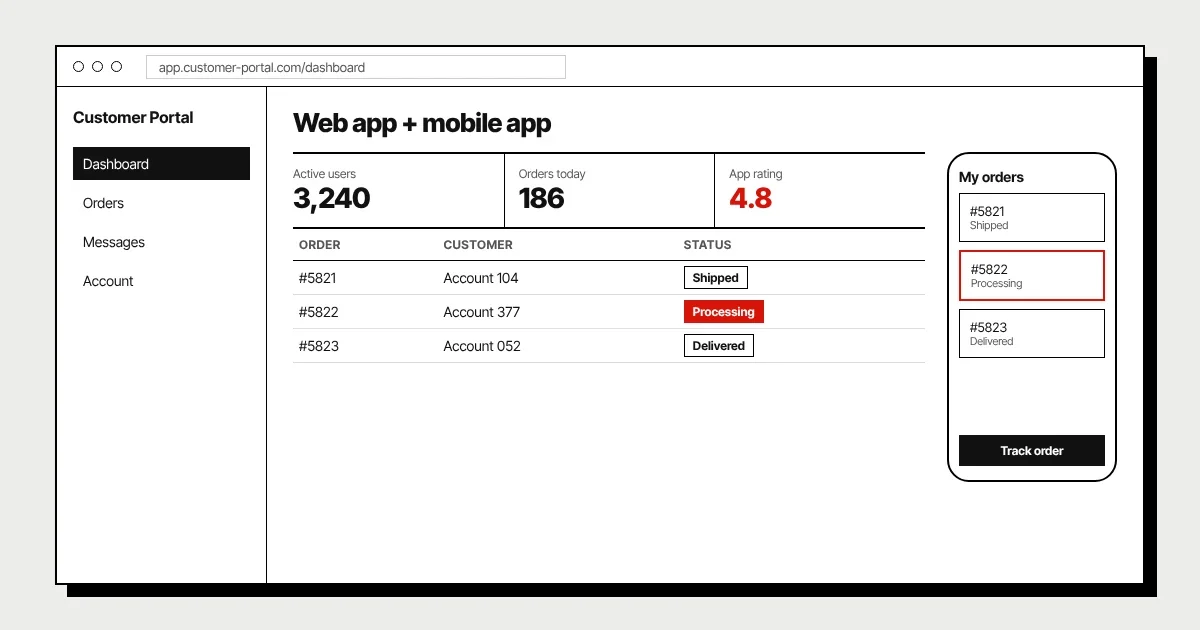
- 02Customer and partner portalsGive external users access to the records, documents and actions relevant to them. Start with permissions and the complete journey, such as submitting a request and seeing its status. A portal should reduce enquiries and duplicate work, not expose an internal database without context.
- 03Booking, marketplaces and dashboardsScheduling needs rules for availability, time zones and cancellations; marketplaces need clear responsibilities for transactions and disputes. Dashboards need reliable source data and definitions people agree on. We scope the underlying workflow as carefully as the screen that displays it.
03Custom Mobile Software Development: Native vs Flutter
Custom Mobile Software Development: Native vs Flutter
Native iOS and Android development offers direct access to platform-specific capabilities and user-interface conventions. It can make sense when the product relies heavily on device functions or needs different experiences on each platform. It also means planning the implementation and testing work for both ecosystems.
Flutter shares much of the application code across iOS and Android and can suit products with similar journeys on both platforms. Platform-specific integrations, accessibility and device testing still need attention. Cross-platform is a delivery approach, not a guarantee that every feature takes half the time.
A mobile-friendly web app may be enough when people mainly fill forms, read information or access occasional services. A mobile app becomes more useful when frequent use, notifications, camera access or carefully scoped offline behavior are essential. Choose based on user evidence rather than assuming every product needs a store listing.
04Features to Plan For
Features to Plan For
Features are easier to estimate when their rules and failure paths are explicit. Use this list to identify what the first release actually needs; it is not a recommendation to build all ten. Each item should have an owner and a way to confirm it works.
- 01Accounts and authenticationDefine signup, sign-in, recovery and session behavior, including what happens when an account is suspended. Consider whether staff access should use an existing identity system.
- 02Roles and permissionsList who can read, create, approve and delete each record. Enforce access on the server as well as in the interface; hiding a button is not a security control.
- 03OnboardingHelp a new user complete the first useful action with the information they have. Distinguish required setup from profile details that can wait until later.
- 04Payments and subscriptionsDefine upgrades, cancellations, failed payments and refunds alongside the happy path. Use a payment provider rather than introducing unnecessary card-data storage.
- 05NotificationsDecide what warrants email, push or an in-app message, and how users control preferences. Track delivery failures and avoid sending sensitive details in notification previews.
- 06Search and filteringSpecify the fields users need and the size of the dataset. Permissions must apply to search results just as they do to detail screens.
- 07Offline accessChoose which records can be stored on a device and which actions can be queued. Define conflict handling, expiry and the risks of local sensitive data.
- 08IntegrationsIdentify APIs, access credentials, rate limits and the source of truth. Plan retries and error handling so a temporary outage does not silently lose work.
- 09Admin tools and reportingGive authorized staff ways to investigate issues and manage normal exceptions. Agree metric definitions and avoid making routine administration dependent on direct database edits.
- 10Accessibility and analyticsTest keyboard use, readable labels and important device layouts. Measure agreed product outcomes without collecting more personal information than necessary.
05How We Build Your App
How We Build Your App
- 01Map the user journeyIdentify users, platforms and the outcome of the first release. Review integrations and agree the acceptance criteria before scope turns into a fixed quote. Name the person who can resolve product decisions.
- 02Prototype the important screensDesign onboarding, the core workflow and key errors, then review them with realistic scenarios. Settle navigation and permissions before implementation. The prototype is a decision tool, not just a visual presentation.
- 03Build shared services and interfacesImplement the API, data model and application in two-week sprints with demos. Review complete journeys rather than isolated screens. Keep environment configuration and sensitive credentials separate from client code.
- 04Test across devices and failure pathsCheck authorization, accessibility and realistic network conditions as well as successful submissions. Confirm mobile layouts and platform-specific behavior. Test what happens when integrations are unavailable or a user repeats an action.
- 05Release and hand overPrepare deployment, monitoring and business-owned accounts. For mobile distribution, include store preparation and review dependencies in the plan. Deliver the code, repositories and credentials, then agree how updates and support will be managed.
06Common Mistakes to Avoid
Common Mistakes to Avoid
Building web, iOS and Android at once can spend the budget before you know which platform people use. Start where the core journey works best and make other channels a deliberate later decision. Shared services can support expansion without forcing every interface into the first launch.
Another mistake is designing only the ideal journey. A declined payment, expired login or duplicate submission is normal behavior, not an obscure edge case. Decide how those situations should work while the screens and data model are still being designed.
Do not leave admin tools, deployment ownership or analytics until the end. A product can look complete while the business has no practical way to operate it or tell whether customers use it. Put those requirements in the release scope alongside the customer-facing features.
07Timeline & Cost
Timeline & Cost
Web or mobile apps start at $18,000 USD and typically take 4–5 months. The starting scope includes custom UX/UI, an admin dashboard and integrations, with the final quote based on the actual features. Multiple platforms, demanding offline behavior or complex external systems can increase the work.
After the free discovery call, we send a fixed quote within 48 hours. The proposal identifies the first release, dependencies and what is outside scope. You own 100% of the code, repositories and credentials; hosting and third-party usage are planned separately from development.
08FAQ
Frequently Asked Questions
Start with where users complete the core task. A browser app often suits portals, administration and occasional use; a mobile app is more useful for frequent on-the-go work or essential device features. Validate that need before funding both platforms, and use a shared data and API plan so later expansion does not require a separate product foundation.
09Related
Related Services
10Contact
Let's build your software in New York
Book a free 30-minute call. We'll review your idea and give you an honest plan and estimate.
+1 718-883-7253Service area: Brooklyn, Queens & Manhattan, NYC
Hours: Open 24/7